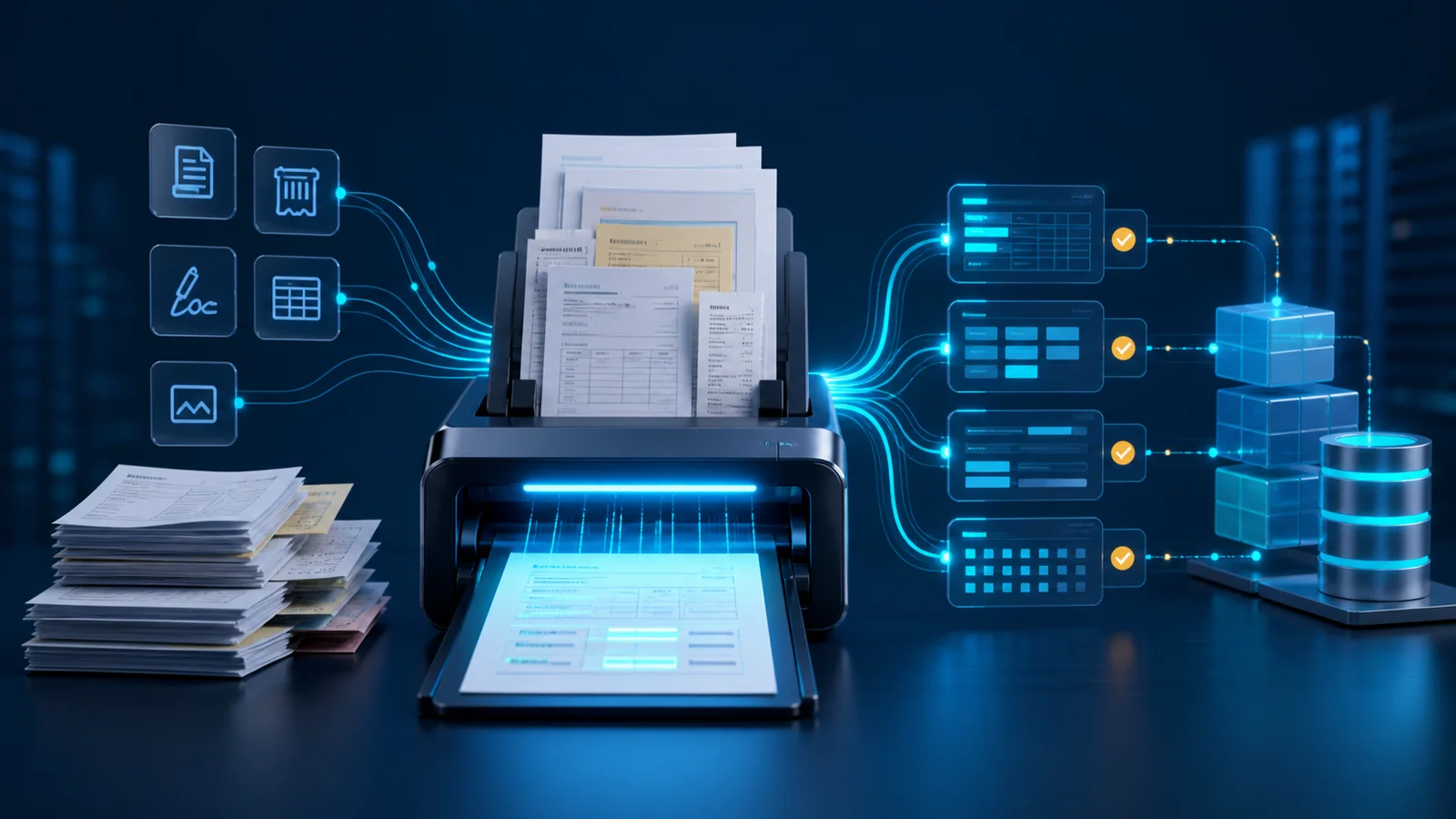
Intelligent document processing turns invoices, contracts, forms, receipts, and letters into structured data that business software can use. Instead of opening every document and manually entering information into a spreadsheet, accounting platform, or CRM, a system can identify the document type, read its text and tables, extract required fields, and route uncertain cases to a reviewer.
The objective is not merely faster typing. A reliable solution must know which data matters, how to validate it, where to preserve the original document, and how to make every change traceable. This guide explains the difference between IDP and OCR, the processing architecture, use cases, accuracy metrics, security controls, cost drivers, and a practical pilot roadmap.
What Is Intelligent Document Processing?
Intelligent document processing, or IDP, combines optical character recognition, machine learning, language models, and business rules to convert document content into structured data. An input can be a text PDF, scanned image, mobile photo, multi-page file, or email attachment. The output may be an invoice record, key contract clauses, an onboarding form, or fields ready for a database.
Reading the document is only one step. A production system receives and classifies the file, separates unrelated pages, assesses image quality, extracts fields, normalizes dates and amounts, and compares results with known records. When confidence is low or a rule is violated, the item should be sent to the right reviewer.
IDP creates value when it connects to a workflow. Extracting an invoice number without posting it to a finance system or flagging a mismatch is only a technical output. Our guide to AI business process automation provides a broader framework for authority boundaries, exceptions, and human control.
OCR vs. Intelligent Document Processing
OCR converts images of letters and numbers into machine-readable text. If a receipt contains a Total label, OCR can return the text and its position. It does not necessarily know that the nearby number is the final payable amount, which currency applies, or whether the item sum matches it.
IDP operates at a higher level. It considers page layout, tables, relationships between labels and values, document type, and business context. It then maps variations to a standard schema. Invoice Number, Invoice No., and a local-language equivalent can all become one canonical field.
OCR is an important IDP component, but it is not the complete solution. Poor OCR undermines every later stage. Accurate text without classification, validation, and workflow integration still leaves substantial manual work.
Which Documents Are Good Starting Points?
The best starting document is frequent, reasonably consistent, and associated with measurable manual effort. Purchase invoices, service requests, intake forms, expense receipts, shipping documents, and standardized contracts are often suitable. A clear process owner and historical examples make evaluation easier.
Avoid beginning with documents that are rare, entirely unique, or lack a reference answer. Difficult handwriting, low-quality photos, and complex legal documents can be processed, but they increase pilot risk and cost.
Record the following for every candidate document type:
- Monthly volume and average page count
- Intake channel such as email, portal, scanner, or messaging tool
- Required fields and the destination of each field
- Current error rate and manual entry time
- Confidentiality level and retention period
- Important exceptions and the person responsible for them
How an IDP Pipeline Works
A standard pipeline separates the process into independent stages. This makes it possible to identify whether a failure occurred during intake, OCR, extraction, or validation and improve one component without replacing the entire system.
1. Intake, Cleanup, and Classification
The file arrives through an authorized channel, and metadata such as time, sender, case identifier, and access level is recorded. Skewed, dark, or rotated images are corrected, while blank and duplicate pages are flagged. If a PDF contains several documents, its pages must be separated before extraction.
Classification determines whether a document is an invoice, contract, receipt, or form. Each category may use different extraction rules and models. A classification error can produce a clean-looking but completely wrong result, so this stage also needs confidence thresholds and a review path.
2. OCR and Layout Understanding
This stage extracts printed or handwritten text, tables, rows, columns, selection marks, and element positions. Layout must be preserved because a number in a Tax column has a different meaning from the same number in a Total column.
For Persian and bilingual documents, tests should cover right-to-left layouts, Persian and Latin digits, local calendars, character variants, and mixed-language lines. Mobile photos may contain shadows, perspective distortion, or reflections. The evaluation set should represent these real conditions rather than only clean digital PDFs.
3. Extraction, Normalization, and Validation
The system returns required fields with values, source locations, and confidence scores. Dates, currencies, identifiers, and contract numbers are converted to standard formats. The raw value should remain available beside the normalized value so a reviewer can understand any transformation.
Business rules add reliability. Invoice line totals can be compared with the grand total, a supplier identifier can be checked against a vendor master, and a contract end date should not precede its start date. These controls do not replace the model; they make its output safer to use.
4. Human Review and System Posting
Documents should not all follow the same path. High-confidence, low-risk items may pass automatically. Uncertain fields, large amounts, and legal documents should enter a review queue. The interface should display the source image, extracted field, and exact location together so corrections are fast.
After approval, data moves through an API or message queue to the destination application. The source file, extracted result, reviewer identity, and change time should remain in an audit trail. Integration with custom enterprise software is useful when company rules and workflows do not fit an off-the-shelf product.
Invoice and Accounts Payable Processing
An invoice workflow can extract supplier name and identifier, invoice number and date, line items, quantity, tax, discount, total amount, and payment information. The result can then be matched with a purchase order, goods receipt, and supplier record.
The value goes beyond removing manual entry. The system can flag a duplicate invoice, unusual amount, changed bank account, or mismatch between ordered and received items. Payment decisions must still follow risk levels and financial authorization. An extraction model should not independently control payment.
For a pilot, compare average handling time, touchless processing rate, field correction rate, and detected mismatch count before and after implementation.
Contracts and Legal Documents
Contract data does not live only in tables. Parties, effective dates, renewal periods, obligations, penalties, termination conditions, and confidentiality terms may appear across multiple clauses. A language model can help find and summarize clauses, but every legal output should include the page and source passage.
The system can build an obligation calendar, alert teams before renewal dates, and flag agreements that appear to lack a required clause. It should support legal judgment rather than replace it. The aim is to help a specialist reach relevant evidence faster and reduce omissions.
Final agreements and amendments must be separated from drafts. If extracted documents will become searchable, the source authority, access control, and citation practices described in our AI knowledge management guide become essential.
Forms, Customer Files, and Legacy Archives
Registration forms, claims, employee records, and identity packages combine text, selections, signatures, and attachments. IDP can populate a digital case file and identify missing documents or early inconsistencies. Sensitive decisions such as rejection, hiring, or credit assessment should not be automated without explicit rules and human oversight.
For a legacy archive, define the outcome first. Converting every page into a searchable PDF is one project. Extracting ten fields and creating structured case records is another. Paper quality, scan type, and template diversity directly influence effort and cost.
Technical Architecture of an IDP System
A typical architecture includes a file intake gateway, secure storage for originals, image preprocessing, OCR, classification, field extraction, a rules engine, a human review queue, and connectors to destination systems. An event log should preserve the document journey from intake through approval.
Extraction can use pretrained, custom, or hybrid models. A standard invoice may be a good fit for a pretrained processor. A company-specific form or specialized vocabulary may require labeled examples and domain rules. Language models add value for free-form documents, but they should be constrained by a field schema, structured output, and citations to source locations.
Record model versions, rule versions, and data-schema versions. If output changes next month, the team should be able to associate the difference with a specific update and perform controlled reprocessing if required.
How to Measure Accuracy
A general statement such as 95 percent accurate is not enough. A mistake in a phone number and an extra zero in a contract amount do not carry equal risk. Assign importance, acceptance criteria, and fallback behavior to every critical field.
Useful metrics include:
- Document classification accuracy
- Exact accuracy for critical fields and table rows
- Touchless processing rate
- Correction rate in the human review queue
- Average processing and exception-handling time
- Cost per accepted document
- Errors discovered after posting to the destination system
The test set should remain separate from training examples and include difficult, low-quality, and incomplete documents. Every change to a model, rule, or preprocessing step should be evaluated against this set.
Security, Privacy, and Access Control
Business documents can contain financial, personal, contractual, and confidential information. Transfers should be encrypted, access should follow roles, and both originals and extracted data need defined retention periods. Logs should not store complete documents or sensitive numbers without a valid operational need.
When using an external service, assess processing location, retention, potential model-training use, deletion options, and data-processing terms. Data minimization matters: if classification needs only a few pages, do not send the entire case file.
The review queue is also part of the attack surface. Reviewers should only see authorized cases, while downloads and sharing should be controlled. High-risk documents may need two-person approval and periodic sampling.
Challenges in Persian Documents
Persian documents mix right-to-left text, Persian and Latin digits, local calendar dates, stamps, signatures, and irregular tables. Some forms place Persian labels and English codes on the same line. A generic OCR score may hide critical errors in amounts, identifiers, or column order.
Define normalization rules for character variants, thousands separators, decimals, rial and toman, and date formats. Person and company names can be compared with reference lists, but fuzzy matching must not silently erase a real difference. Tests should include multiple printers, faint scans, and mobile photos.
What Determines IDP Cost?
Cost depends on page volume, input quality, document types, field count, table complexity, custom-model requirements, access controls, integrations, and the human review rate. Per-page processing price is only one component. Sample preparation, schema design, validation rules, review interfaces, and ongoing maintenance can represent substantial effort.
Estimate from a real month of work. Record document count, average pages, manual time, error rate, and correction cost. Then compare three operating models: reviewer assistance, semi-automated processing, and touchless processing for low-risk items. This provides a better business case than comparing API fees alone.
If the project requires dedicated integrations and an operating dashboard, our custom software procurement guide explains requirements, contracts, and acceptance criteria.
A Six-Step Pilot Roadmap
1. Select one document type and one destination, such as purchase invoices entering a finance system.
2. Collect 200 to 500 representative examples and remove or control unnecessary sensitive information.
3. Define required fields, validation rules, confidence thresholds, and exception paths.
4. Create a ground-truth test set and measure the existing process for time, cost, and error.
5. Run the solution in shadow mode so it produces results while the current process still makes real decisions.
6. After acceptance criteria are met, automate only low-risk documents and retain human review for the rest.
A successful pilot should demonstrate both technical accuracy and shorter cycle time. If the review queue is slower than manual entry, model accuracy alone does not prove success.
Common IDP Mistakes
Starting with every document type, trusting a clean demo, discarding the original file, lacking a ground-truth set, and measuring only overall accuracy are common mistakes. Sending model output directly into finance without rules or approval also creates operational risk.
Another mistake is ignoring template change. A supplier may redesign an invoice, or legal teams may introduce a new contract format. Distribution monitoring, accuracy-drop alerts, and rollback capability should be part of daily operations.
Automation should not merely move work from data entry into an inefficient correction queue. Review-interface design, keyboard shortcuts, and clear source highlighting matter as much as the extraction model.
The EasySaz Approach to Intelligent Document Processing
EasySaz AI solutions begin with a real document and a measurable outcome. We first identify the document type, important fields, data destination, and consequences of error. A prototype is then evaluated on representative samples so OCR, extraction, and validation quality can be measured separately.
The solution can connect to email, an upload portal, file storage, accounting, CRM, or an internal application. Low-confidence cases receive a review queue, and every change remains traceable. The goal is not a visually impressive demo; it is a secure and maintainable process that works at real volume.
For an initial assessment, prepare 30 sample documents, the required field list, the data destination, and three costly failure cases. This small package is enough to evaluate feasibility and design a focused pilot.
Frequently Asked Questions
Is IDP the Same as OCR?
No. OCR extracts text from images, while IDP also covers document classification, structure, fields, validation rules, human review, and integration with destination systems.
Can IDP Process Handwriting?
Yes, but quality depends on legibility, language, format, and writing style. Real samples must be evaluated, and conservative human-review thresholds are usually appropriate.
How Many Sample Documents Are Needed?
There is no universal number. A few hundred diverse examples often provide an initial view for a limited pilot, but coverage of real templates, image conditions, and exceptions matters more than file count alone.
Can Extracted Data Post Directly to Accounting?
That may be appropriate for well-tested, low-risk documents. Large amounts, new suppliers, mismatches, and low-confidence fields should trigger business rules and human approval.
How Do We Calculate Return on Investment?
Compare manual entry time, correction costs, process delays, and document volume with implementation, processing, review, and maintenance costs. Shorter cycle time and detected mismatches are also part of the benefit.
Intelligent document processing succeeds when it turns an image or PDF into reliable data and a controlled action. Start with one frequent document type, measure field-level accuracy, and expand automation only after the outcome is proven.